
The Order Comments section now lets CC logins append comments instead of overwriting them. This makes communication between Collection Centers (CC) and labs much easier, as all updates are saved with timestamps and user details. Both CC and lab users can see a complete history of all messages for better tracking and collaboration.
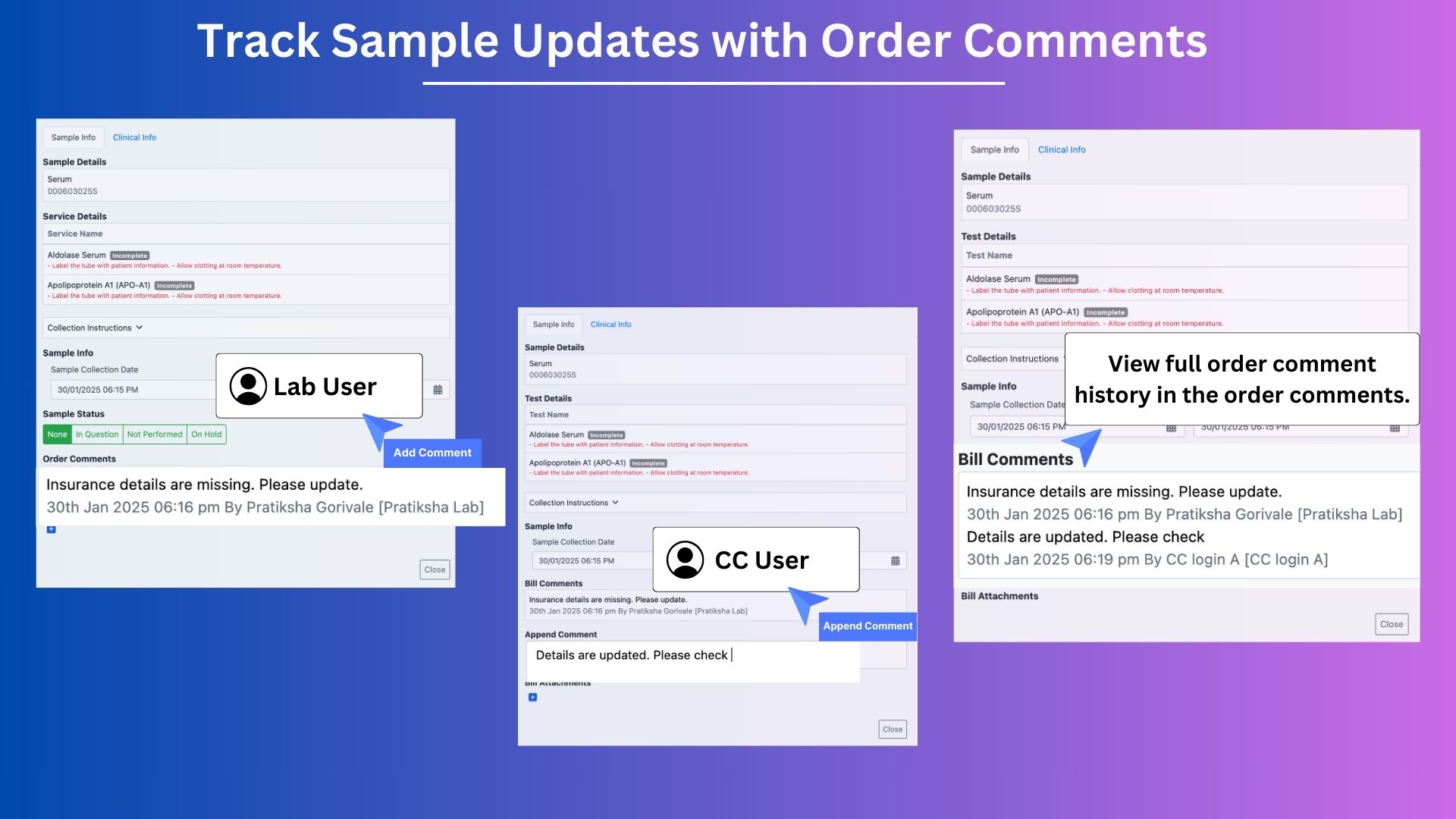
Steps to Use the Feature:
Open the Sample Info Modal:
Go to the Accession module and open the Sample Info modal.Add a Comment:
Lab users can add comments about the sample or patient in the Order Comments box (e.g., "Insurance details are missing. Please update.").View the Comment:
CC logins will see the comment in the Order Comments section.Append a Comment:
If CC users want to respond or provide an update, they can type their message in the Add Comment box and click Append Comment.Check Comment History:
The new comment will appear in the Order Comments section with a timestamp and username.Lab Access:
Lab users can view the updated comment history and add their own comments if needed.
Example Use Case:
- A lab receives a sample from a collection center. While registering the patient, the lab user notices that the insurance details are missing.
- The lab user adds a comment in the Order Comments box:
"Insurance details are missing. Please update." - The CC user sees the comment, updates the insurance details, and appends a new comment:
"Insurance details are updated." - The lab user reviews the new comment and continues processing the sample.
This feature ensures all communication is logged clearly, avoids misunderstandings, and makes it easy to track updates between labs and collection centers.
Demo Link:
https://drive.google.com/file/d/108Rferzt7E-A6pBOWHJB7SzI6xbMeV3H/view?usp=sharing