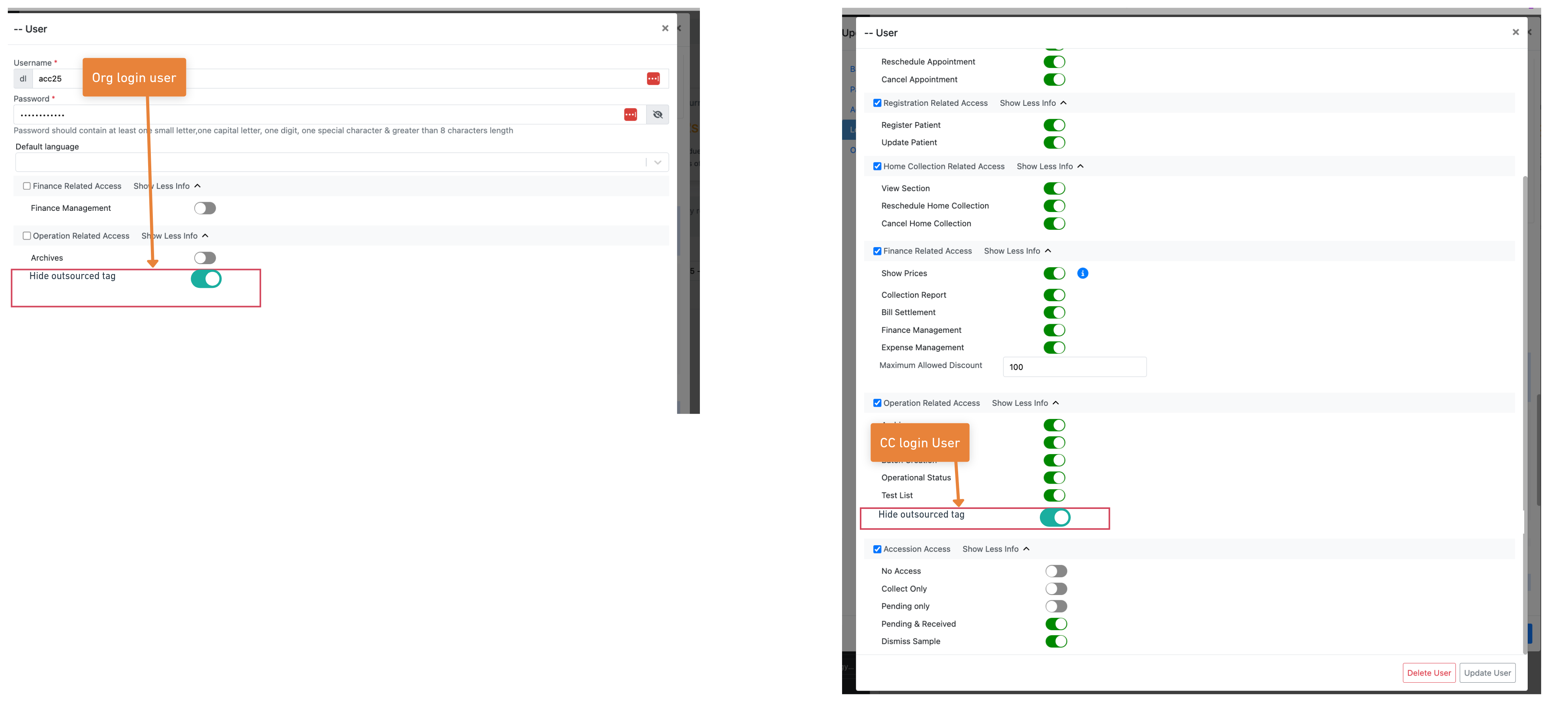
We’ve added a new setting to hide outsourced tags in both CC and Org Login. You’ll find this under Organization Management > Organization Users > Operations Access > User Access Control.
When this setting is enabled for a user, the outsourced tag will be hidden across CC and Org Logins—this includes the dashboard, registration screen, and anywhere else the tag is shown in the UI. Disabling the setting will make the tag visible again.
This change helps labs control visibility of the outsourced tag for different user roles. It’s useful when you don’t want collection centers to know which tests are outsourced, which can help avoid unnecessary questions, confusion, or operational issues.
On the other hand, if you’re a multi-processing unit and want to show that certain tests are outsourced, it helps collection centers understand that these may take longer than the ones processed locally. So depending on how you operate, this option gives you flexibility to manage visibility as needed.