How to Demerge Accidentally Merged Patient Records
Print
Created by: Fahim Shaikh
Modified on: Tue, 25 Nov, 2025 at 9:45 PM
Sometimes, patient records may get accidentally merged.
No need to worry — the system provides an option to demerge and restore the records correctly.
Before you begin, please note:
To demerge patient records, you must first register the merged patient again as a new patient.
Only after creating this new registration can you proceed to demerge the merged bills into the newly registered patient.
Steps to Demerge Patient Records:
Go to the Registration page.
Open Patient Search.
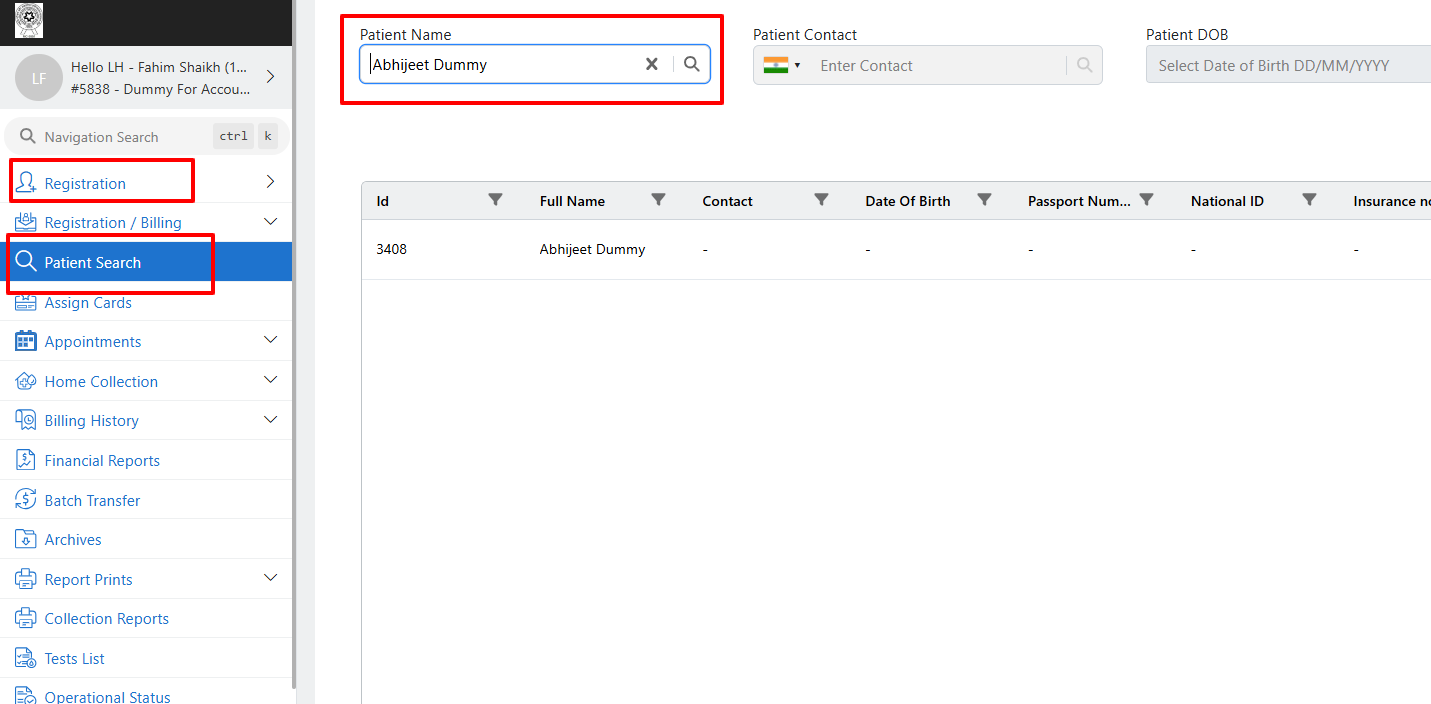
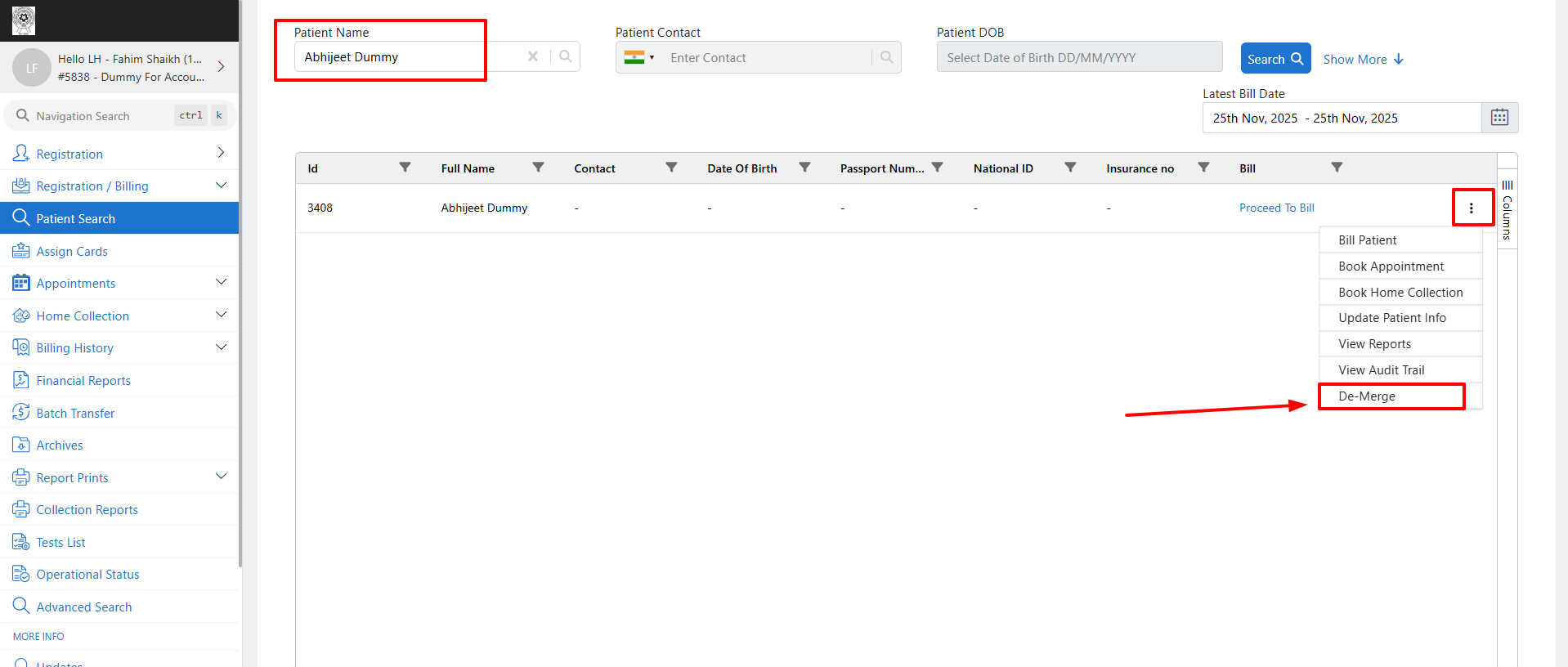
Select the patient whose records have been merged.
Click on the three dots (⋮) menu and select Demerge.
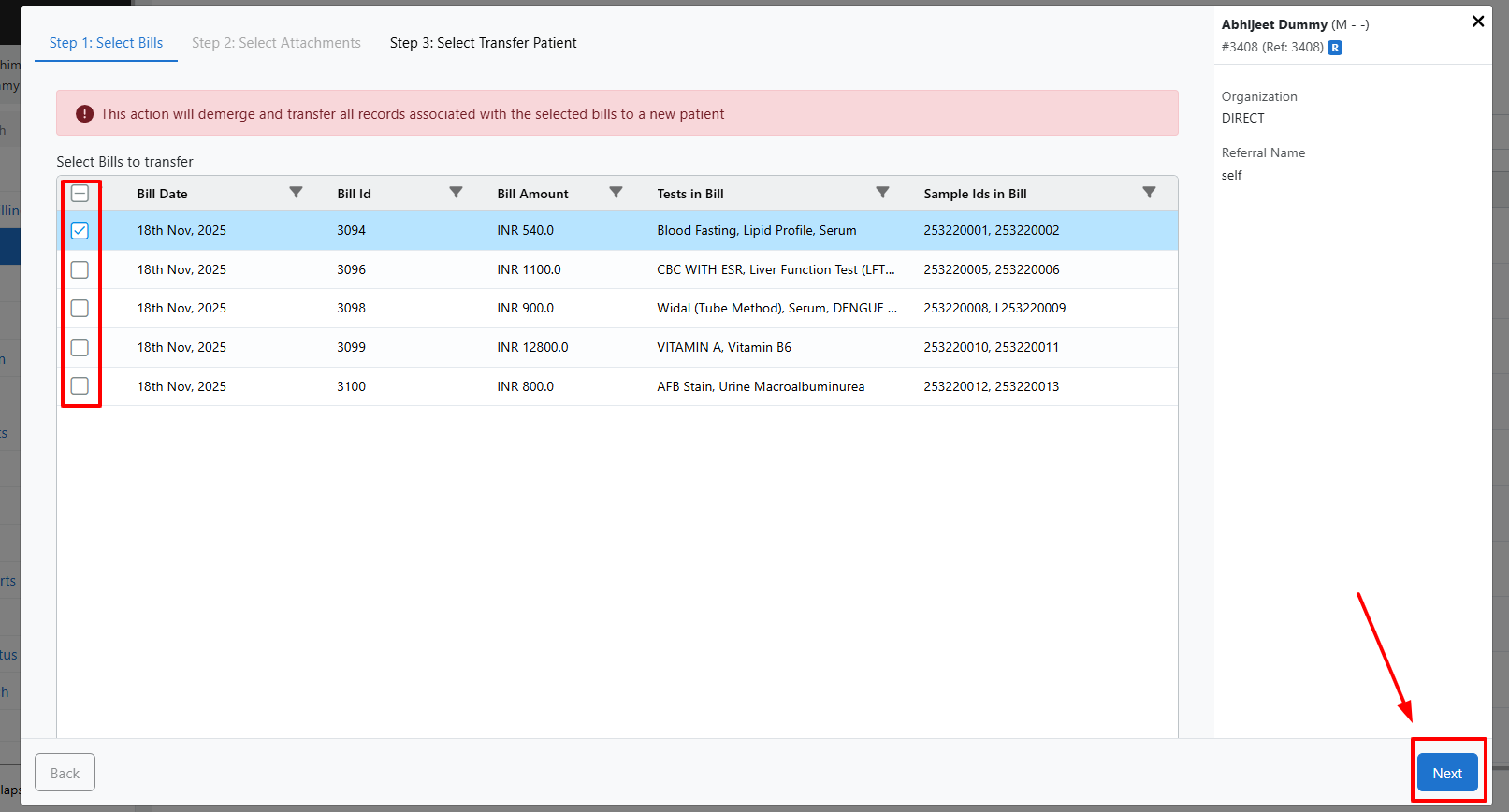
Select the bills that need to be demerged.
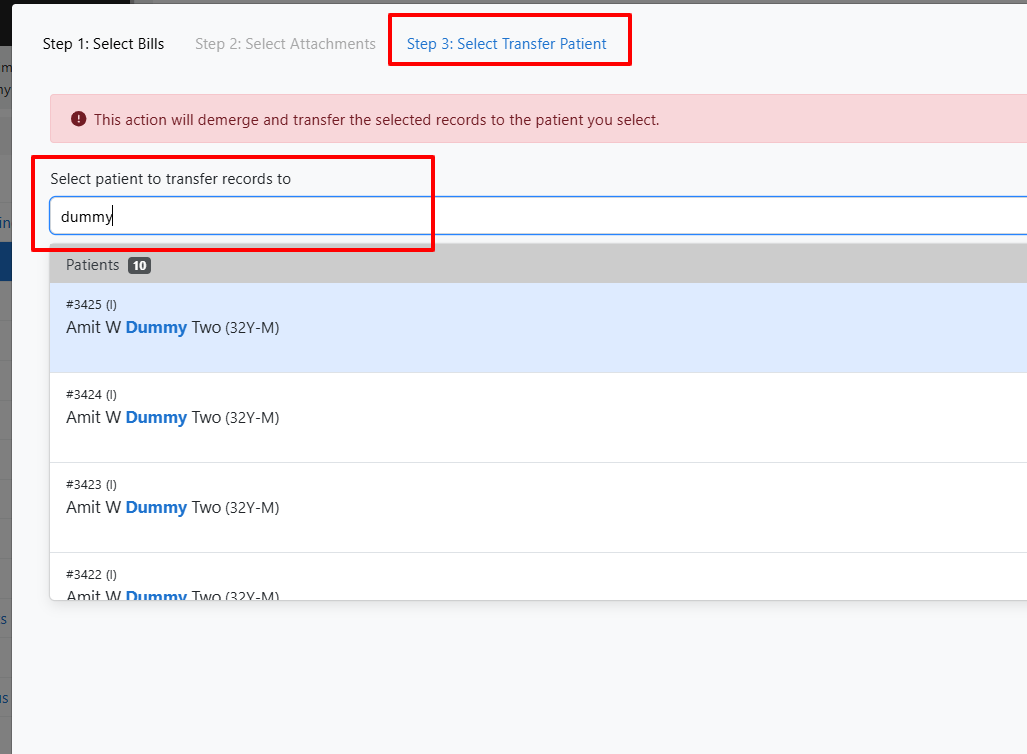
Select the newly registered patient to whom the records should be moved.
Confirm the Demerge action.
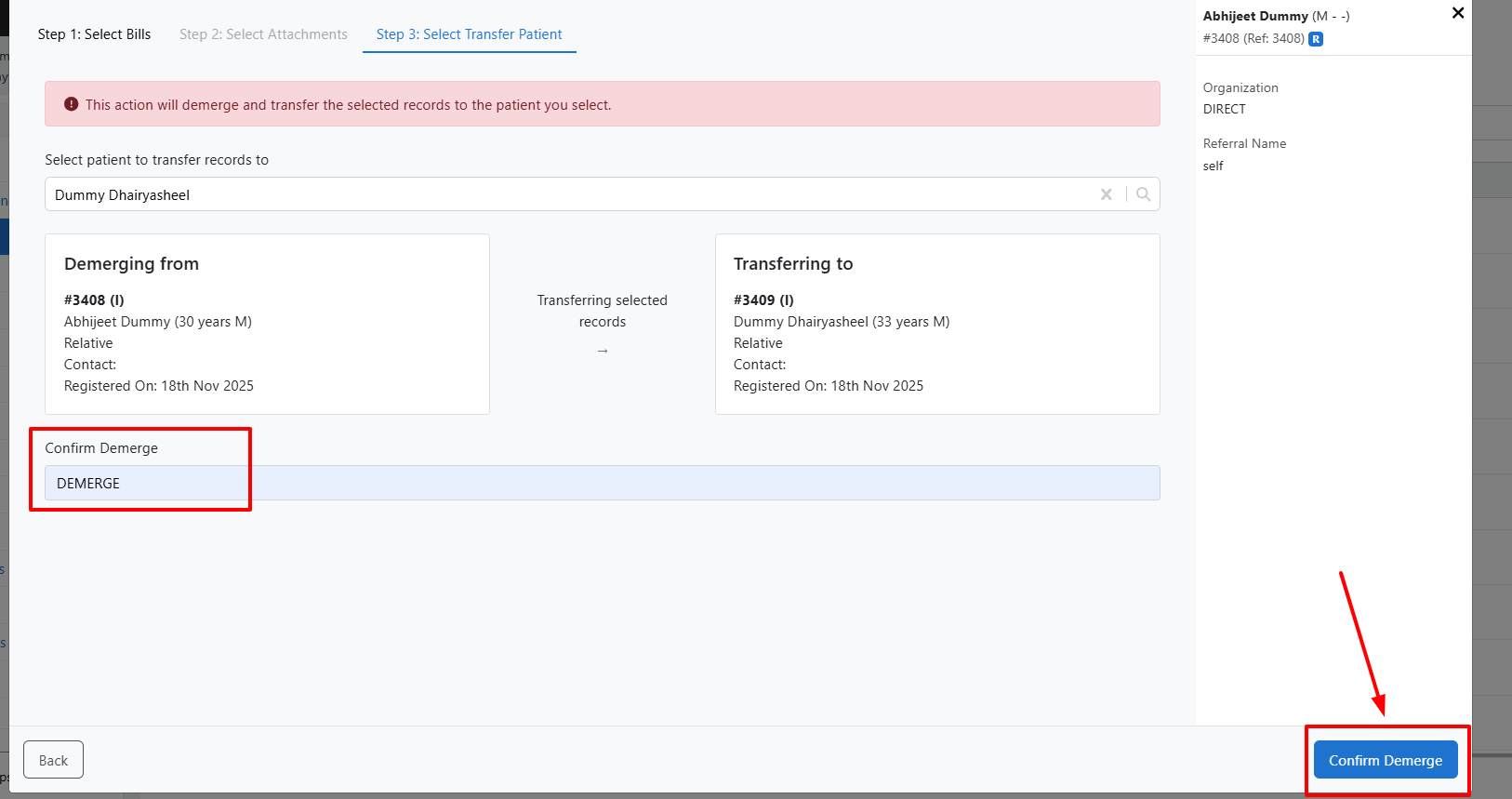
And that’s it — your patient records are successfully demerged !
Note: The Demerge option is available only on the New Registration page.
For a better understanding, you can refer to the attached video tutorial.
Fahim is the author of this solution article.
Did you find it helpful?
Yes
No
Send feedback Sorry we couldn't be helpful. Help us improve this article with your feedback.
